About Phone Backup
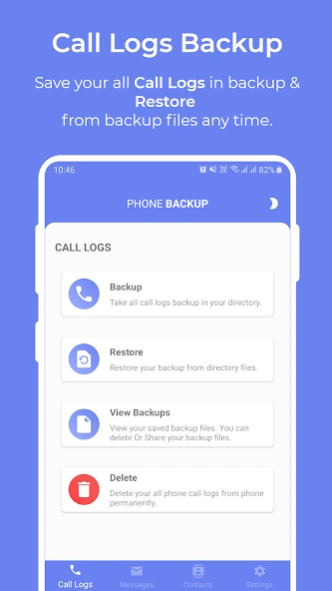
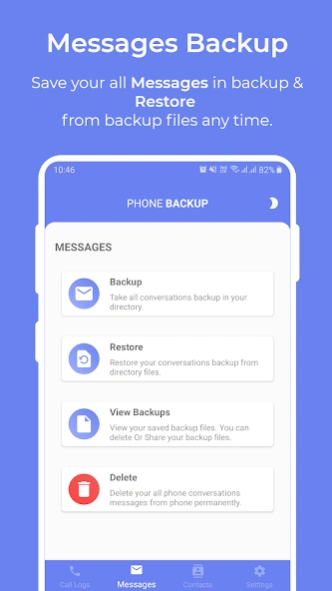
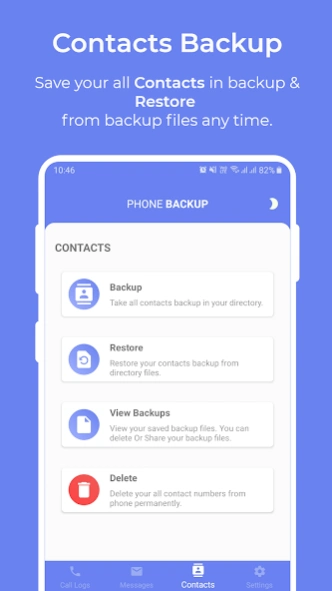
Phone Backup helps you securely back up and restore your Contacts, SMS messages, and Call Logs. Store your backups on Google Drive and restore them whenever you switch devices, reset your phone, or need to recover...
Phone Backup helps you securely back up and restore your Contacts, SMS messages, and Call Logs. Store your backups on Google Drive and restore them whenever you switch devices, reset your phone, or need to recover important data.
Key Features
✓ Backup Contacts to Google Drive
✓ Restore Contacts from backup files
✓ Backup SMS messages
✓ Restore SMS messages
✓ Backup Call Logs
✓ Restore Call Logs
✓ Secure cloud storage through your own Google Drive account
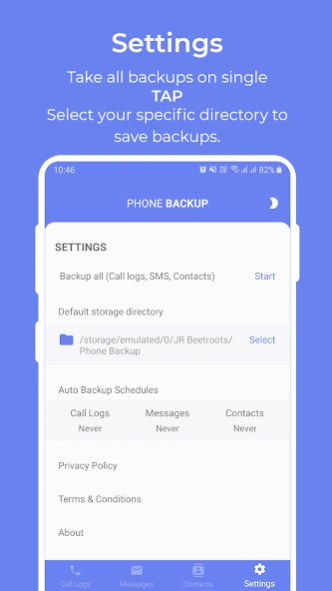
✓ Manage and organize backup files easily
How It Works
1. Sign in with your Google account.
2. Choose the data you want to back up.
3. Save the backup securely to your Google Drive.
4. Restore your data whenever needed.
Permissions Used
* Contacts Permission – Required to back up and restore contacts.
* SMS Permission – Required to back up and restore SMS messages.
* Call Log Permission – Required to back up and restore call history.
* Notification Permission – Used to display backup and restore progress notifications on supported Android versions.
Privacy & Security
Your data remains under your control. Backup files are stored in your device storage or your personal Google Drive account. Phone Backup does not sell, share, or use your personal data for advertising purposes.
Privacy Policy:
https://docs.google.com/document/d/1qRIRgbPJssE8-ZqzUrF36QsZ5T9KG0oIzHlyeqMnboM/edit
Terms & Conditions:
https://docs.google.com/document/d/1pAmKTipFUW4QwCbyMc7YKQJsA3Eriep9XANPSFnPRmE/edit
Previous Versions
Here you can find the changelog of Phone Backup since it was posted on our website on 2023-06-20 23:10:48.
The latest version is 1.2.6 and it was updated on 2026-10-12 21:50:45. See below the changes in each version.
Phone Backup version 1.2.6
Updated At: 2026-07-10
Changes: Bug fixes and enhancement.
Phone Backup version 1.2.0
Updated At: 2025-10-10
Changes: What's new:
1. Android up to 16 support enabled.
2. Backup and restore with google drive services enabled.
3. Improved performance.
4. Enhances experience.
Phone Backup version 1.0.6
Updated At: 2022-04-01
Changes: 1. Support up to Andorid 12 version.
2. Design enhancement.
3. Daily Auto Backup option added.
4. Enhanced performance.
Disclaimer
Official Google Play Link
We do not host Phone Backup on our servers. We did not scan it for viruses, adware, spyware or other type of malware. This app is hosted by Google and passed their terms and conditions to be listed there. We recommend caution when installing it.
The Google Play link for Phone Backup is provided to you by apps112.com without any warranties, representations or guarantees of any kind, so access it at your own risk.
If you have questions regarding this particular app contact the publisher directly. For questions about the functionalities of apps112.com contact us.